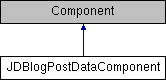
This class implements a component for including Wordpress data in other controllers' view variables. More...
Public Member Functions | |
| __construct ($collection, $settings=array()) | |
| Create a reference to our model of interest. More... | |
| getOneRandomPost () | |
| Returns one random post. More... | |
| getSitemapBody () | |
| Returns the sitemap body (only) so that other controllers might compile the results into a full sitemap. More... | |
| tocArticlesWithDateHeaders ($slug= '') | |
Will return a toc of all articles (optionally for $slug only) divided into year and month. More... | |
| tocForTaxonomyType ($type= 'category') | |
Provides a list of all taxonomy types in a \<ul> toc format; for example it can provide a list of each 'category'. More... | |
| tocRecent ($slug= '', $limit=5) | |
Returns the most recent 5 post titles in \<ul> format. More... | |
| tocRSSForTaxonomyType ($type= 'category') | |
Provides a list of all taxonomy types in a \<ul> toc format linking to RSS feeds; for example can provide a list of each 'category'. More... | |
| tocTaxonomyArticles ($type= 'category') | |
Provides a list of all terms for a specified taxonomy and its article titles in a \<ul> toc format; for example can provide a list of all 'category' with articles for each 'category. More... | |
Data Fields | |
| $jd_vars | |
| This provides a couple of things to all of your views and things rendered by this Plugin. More... | |
Detailed Description
This class implements a component for including Wordpress data in other controllers' view variables.
Constructor & Destructor Documentation
| __construct | ( | $collection, | |
$settings = array() |
|||
| ) |
Create a reference to our model of interest.
- Parameters
-
mixed $collection inherited from super. array $settings inherited from super.
Member Function Documentation
| getOneRandomPost | ( | ) |
Returns one random post.
- works with
Elements/requestAction/getOneRandomPost
| getSitemapBody | ( | ) |
Returns the sitemap body (only) so that other controllers might compile the results into a full sitemap.
- works with
Elements/requestAction/getSitemapBody
| tocArticlesWithDateHeaders | ( | $slug = '' | ) |
Will return a toc of all articles (optionally for $slug only) divided into year and month.
- works with
Elements/requestAction/tocArticlesWithDateHeaders
- Parameters
-
string $slug Optional; specify the slug for TOC articles.
- Returns
- string
| tocForTaxonomyType | ( | $type = 'category' | ) |
Provides a list of all taxonomy types in a \<ul> toc format; for example it can provide a list of each 'category'.
- works with
Elements/requestAction/tocForTaxonomyType
- Parameters
-
String $type Specify the taxonomy for TOC.
- Returns
- string
| tocRSSForTaxonomyType | ( | $type = 'category' | ) |
Provides a list of all taxonomy types in a \<ul> toc format linking to RSS feeds; for example can provide a list of each 'category'.
- works with
Elements/requestAction/tocForTaxonomyType
- Parameters
-
string $type Specify the taxonomy for TOC.
- Returns
- string
| tocRecent | ( | $slug = '', |
|
$limit = 5 |
|||
| ) |
Returns the most recent 5 post titles in \<ul> format.
If an optional $slug is given then the most recent five posts from the slug will be returned, on order of preference for author, category, and post_tag. Optional |$limit| can change the number of post titles returned.
- works with Elements/requestAction/tocRecent
- Parameters
-
string $slug Specify the slug for a TOC. integer $limit Specify the number of TOC entries wanted.
- Returns
- string
| tocTaxonomyArticles | ( | $type = 'category' | ) |
Provides a list of all terms for a specified taxonomy and its article titles in a \<ul> toc format; for example can provide a list of all 'category' with articles for each 'category.
'
- works with Elements/requestAction/tocTaxonomyArticles
- Parameters
-
string $type Specify the taxonomy for TOC.
- Returns
- string
Field Documentation
| $jd_vars |
This provides a couple of things to all of your views and things rendered by this Plugin.
You can permanently modify them here, or override any of the setting by including a jd_vars array in the $settings array in your $components declaration of the controllers that use it.
The documentation for this class was generated from the following file:
- Controller/Component/JDBlogPostDataComponent.php